Formations your dancers can see before they learn them.
Design every formation and transition, watch the piece in 3D with your music, and give each dancer a clear spot on every count.
Who it is for
Dance teams, studios and companies use Pyware 3DX to plan formations the way drill designers plan a field show. Set each formation on the count track and Pyware moves every dancer between them, so you can fix spacing, traffic and sight lines before rehearsal time is spent on it.
- High school and college dance teams
- Studios planning competition and recital pieces
- Choreographers staging large groups
- Halftime and pom routines on a court or floor
The tools that matter here.
Formations in minutes
Draw lines, arcs, blocks and wedges, then place dancers on them in the order you want.
Transitions you can trust
Pyware moves every dancer from one formation to the next on the counts you set, so you can spot collisions and long paths before rehearsal.
Music sync
Line the counts up with your music and play the piece back to see how it flows.
Dance poses on the holds
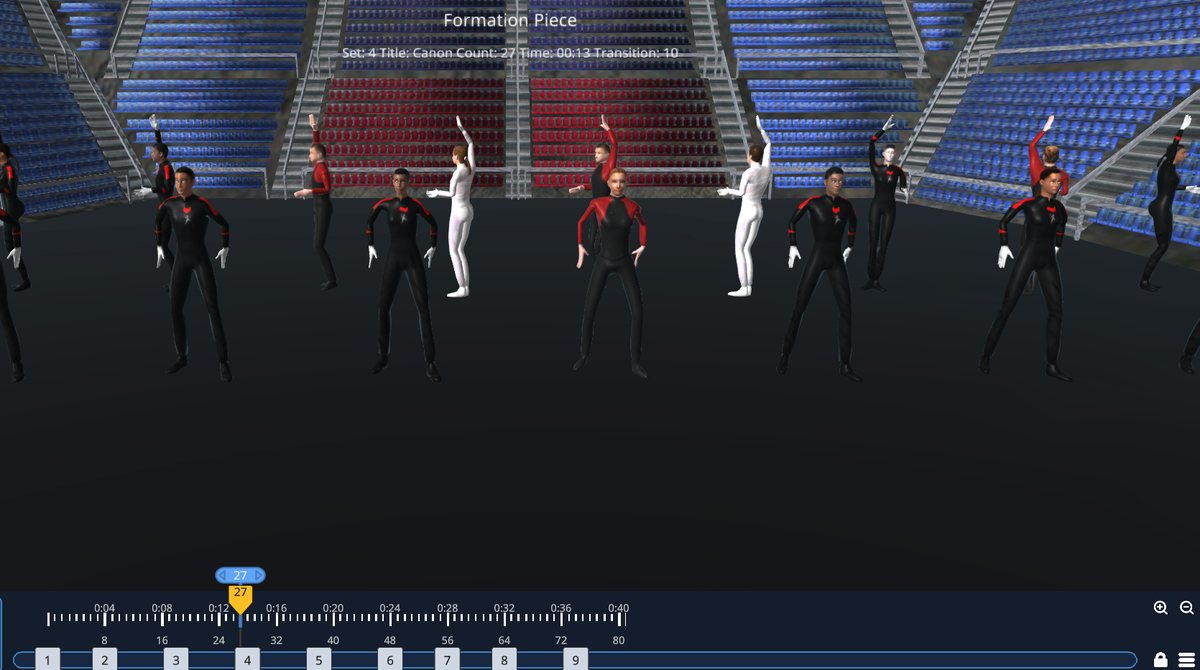
Plie, grand plie, ronde de jambe, open positions and layered poses show what the formation looks like in motion.
Indoor floors and stages
Write on an indoor performance gym, a basketball court or a stage, with a floor grid sized to your space.
Charts and video for the team
Print each dancer’s spots, record a video of the piece, or send it to dancers with Export to UDB.
The showcase: a formation piece
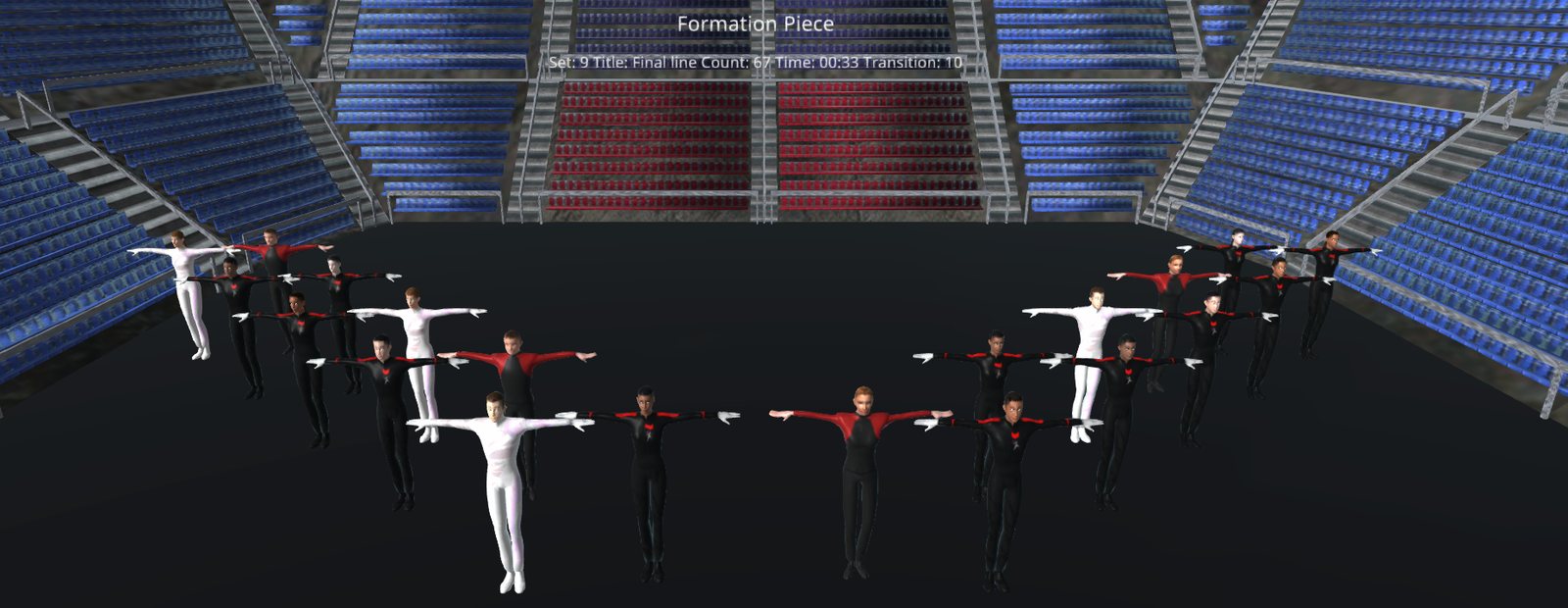
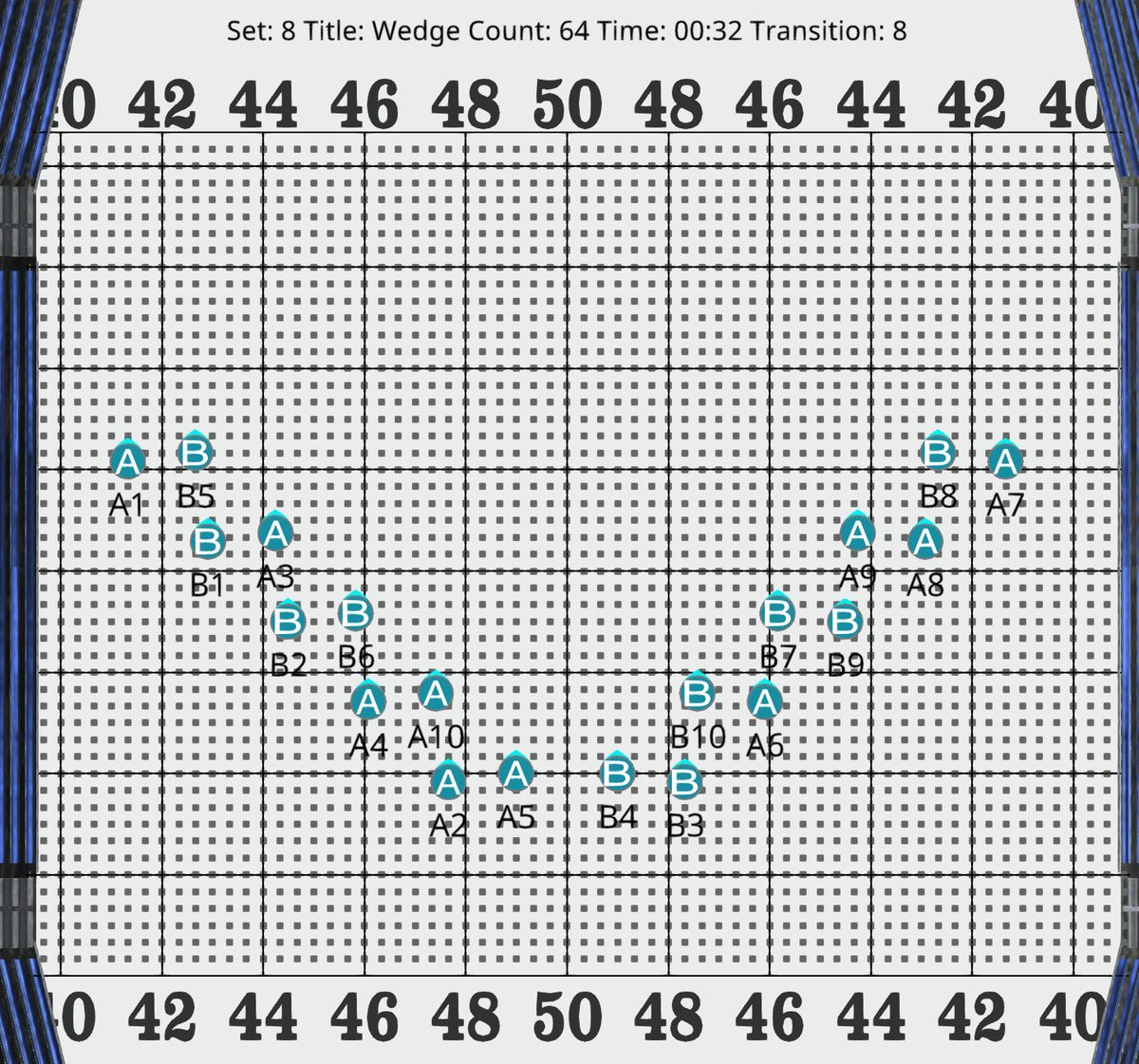
We wrote this piece in Pyware 3DX for this page: 20 dancers on an indoor performance floor, moving through nine formations, among them a canon ripple, a wedge and a closing line, with dance poses on the holds.
Small Ensembles fits most groups.
Small Ensembles is made for winter guard, indoor, dance and cheer groups and small bands of up to 100 performers, written by one person. You pay for the size of your group, and you get the same drawing and editing tools as Essential.
Writing for more than 100 performers, or sharing the work with a design staff? Essential and Platinum have unlimited performers, and Platinum runs on 3 devices at once.
Small Ensembles Edition
- Up to 100 performers, priced by group size
- New Drill Wizard, Sketch mode and Grid Designer
- 3D view, screen recording, music sync and printing
- Export to UDB
- Windows, Mac, iOS and Android
A real person, whenever the show needs one.
The same Texas team that writes Pyware answers your call and your chat, late at night, on weekends and in the busiest weeks of the season. When a fix needs hands on your computer, we meet you in a remote session. Need to get started fast? Join a training session or open the 3DX User Guide.
“The team is reachable at almost any platform, any hour, any day, and any time of year, especially in the crazy months of marching band deadlines.”
“Being able to call and get an answer quickly is the best part. Constantly upgrading the system to meet the needs of designers.”
Ready to plan your next show?
See the editions and prices, or tell us about your group and we will help you pick the right one.
Pyware 3DX is also for